
SoDel Daily · Quickstart
The nightly report, in five steps
What you write tonight is what you write today. The app does the arithmetic, the formatting and the address line; you still send it from your own mailbox, with the same attachments.
- 1
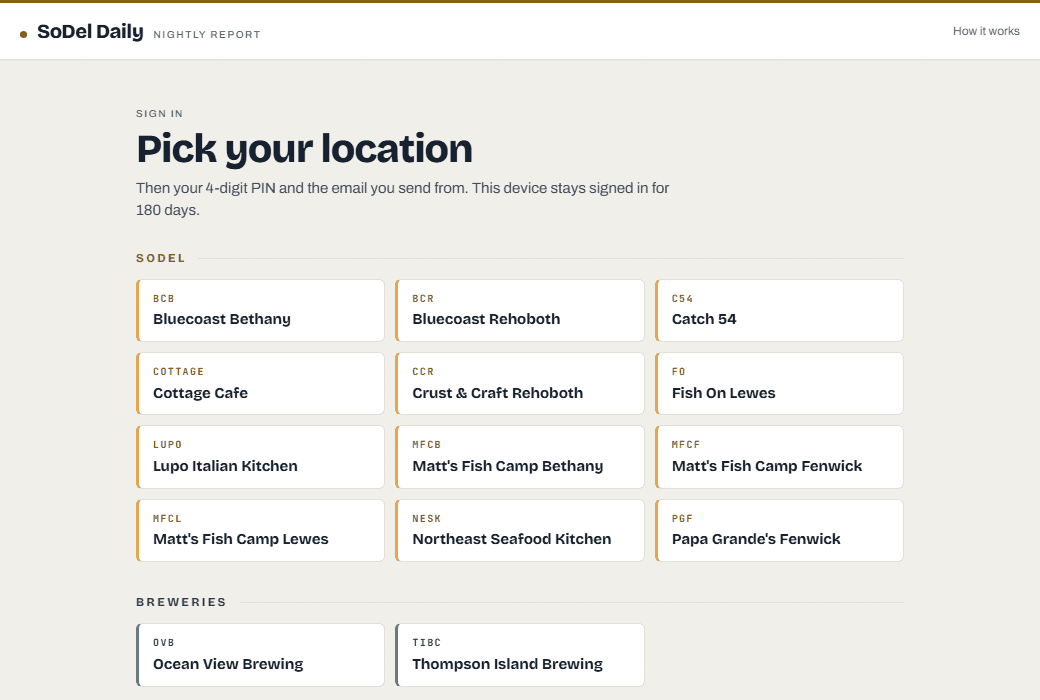
Pick your location
Open sodeldaily.com on your phone or the host stand and tap your restaurant. Covering somewhere else tonight? Use Switch location in the header.
- 2
PIN, then your email
Your 4-digit location PIN, the same one for every location. Then the email address you send from. Your own device stays signed in for a year. On the host stand, tick This is a shared computer for a 12-hour session. Check your address in the header and use Switch when the next manager takes over.
- 3
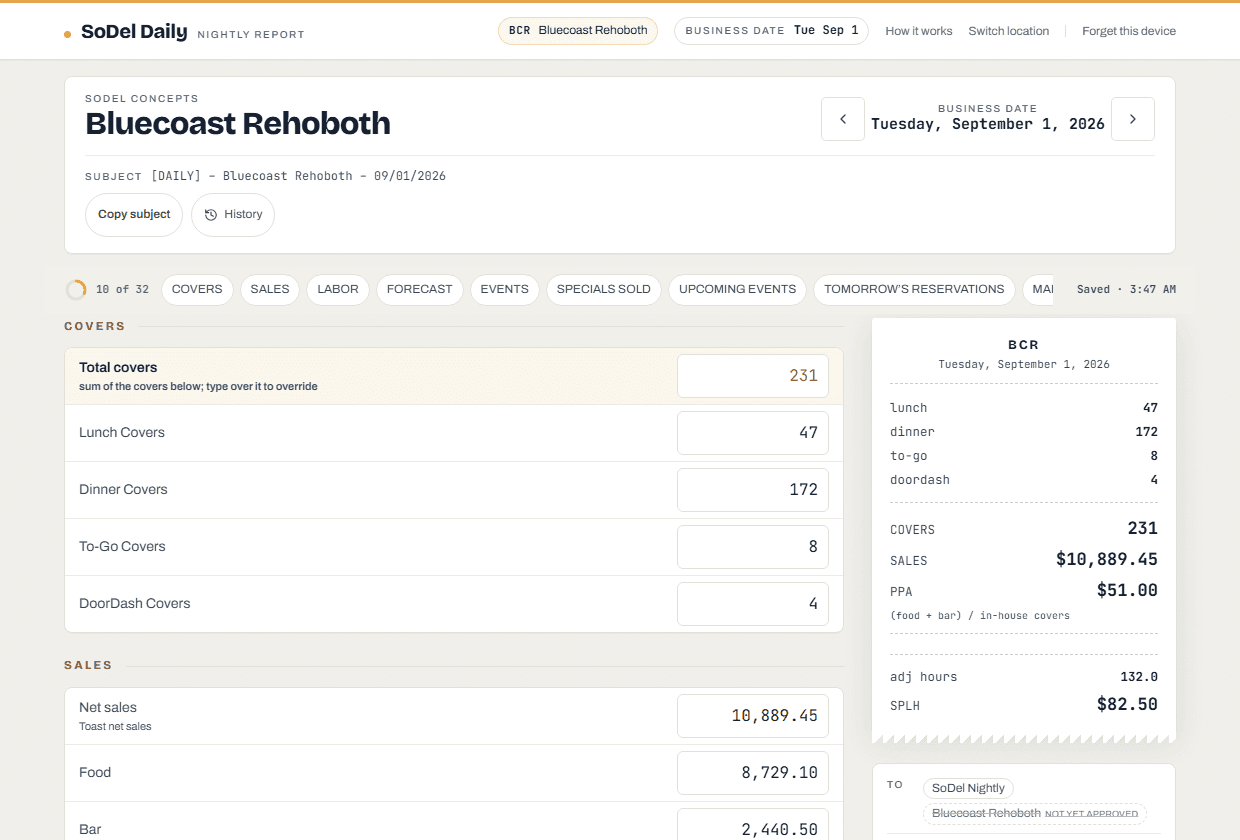
Fill in the numbers and the notes
The form is your own daily, field for field, in your order. The tape beside it totals covers and sales, applies your location’s PPA rule and shows adjusted hours and SPLH when you enter hours. Last night’s events, 86’d items and regulars are waiting as chips: keep the ones that still apply. It saves itself after every field. If two of you split the day, you are both in the same report: it saves as you type and the other manager sees your numbers within a few seconds.
- 4
Open your Outlook draft
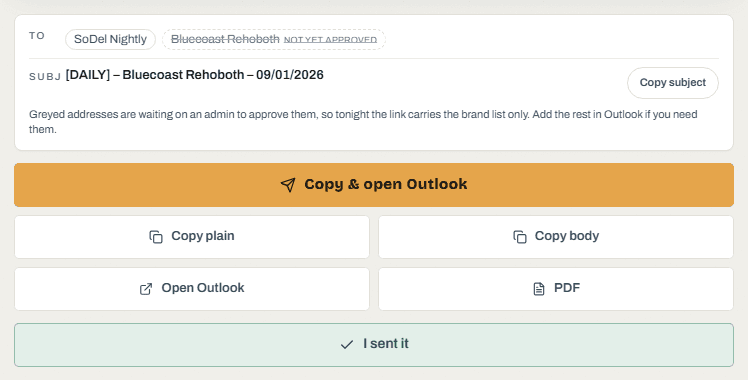
Choose Connect Outlook when offered, then Open in Outlook. The recipients, subject and formatted body are included. This works on phones too; find the saved message in Outlook’s Drafts folder. If you use Copy and paste instead, paste the copied body above your signature. Review any notice about another manager’s changes before continuing.
- 5
Review, attach as usual, send
Check that the report body is present, attach the workbook and the specials sheet as usual, and send it from your own mailbox. Then come back and tap I sent it, so the morning list knows the night is in. Change something afterwards and the subject says (revised); send it again.
- The connection drops
- Keep typing. Your draft stays on this device. Copy will ask you to confirm if it cannot check the latest shared report. Review your numbers before copying and sending.
- An address is greyed out
- It is waiting on an admin to approve it, so tonight the link carries the brand list only. Add the rest in Outlook.
- A number looks wrong to the app
- You get a quiet “are you sure?” beside the field. It never blocks you, and it stops asking once you answer.
- You cannot get in
- Send it the usual way tonight. Nothing here replaces that until you say so.
sodeldaily.com · it is a browser page, there is nothing to install.